Infrastructure, whether in the cloud or on-premises, sits at the heart of your technology stack. The fundamental structure and configuration of your infrastructure impacts what tech you can integrate, what transformative solutions you have access to and how you can innovate the way your organisation functions. It’s essential to implement a cloud infrastructure for AI if you want to dive in.
When organisations look to implement cutting edge technologies like AI, they often run into the roadblock of their own infrastructure. Here, we’ll explore the best approach to your cloud infrastructure and how it can lay the foundation for transformative innovation.
Digital transformation today is a key pillar of all technical roadmaps and is a continuous process of change and optimisation of your operations to support your business strategy. Whether organisations are aiming to increase operational efficiency, improve customer experience, adopt AI, or unlock new revenue opportunities, the cloud often serves as the backbone for change.
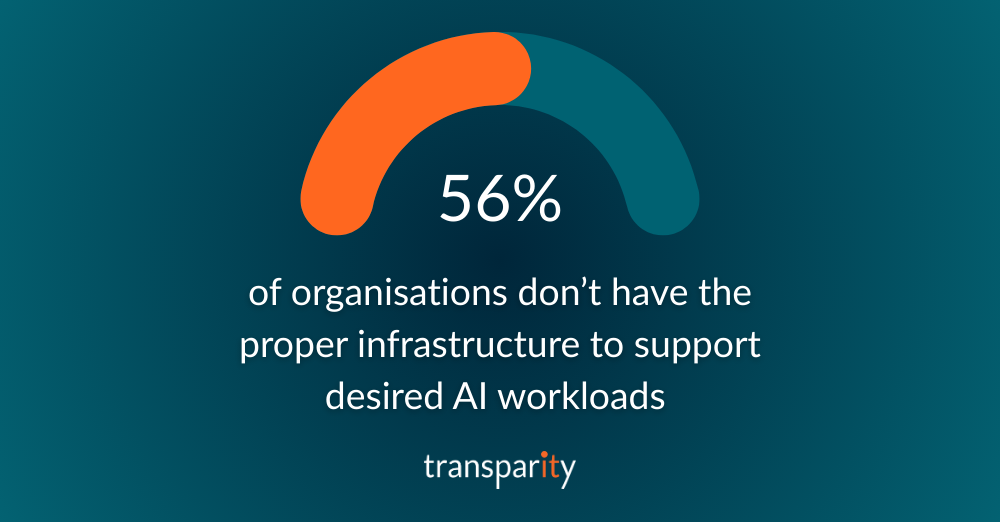
While sometimes overlooked, cloud infrastructure (like Microsoft Azure) plays a central role in enabling these efforts. According to Microsoft’s State of AI Infrastructure report, challenges with infrastructure are a common roadblock in implementing AI tools. According to the report, 56% of organisations don’t have the proper infrastructure to support desired AI workloads and 41% cite infrastructure design and implementation as the area they need most support with.
Microsoft Azure provides a comprehensive platform that supports both infrastructure modernisation and innovation. For many organisations, Azure offers the scalability, security and integration capabilities needed to modernise legacy systems, transition to more agile operating models and deliver services at scale.
We’re seeing a noticeable shift in how businesses approach cloud adoption. Early approaches often focused on lifting and shifting workloads to reduce costs or improve reliability. Today, the conversation is more strategic where Azure Landing Zones are configured to support organisations with their priorities, fiscal operations (FinOps), governance, security, AI and ensuring the cloud provides value for money in an increasingly cost-conscious economy.
Hybrid and multi-cloud models are common, as enterprises seek flexibility and avoid vendor lock-in. Some begin with targeted workloads such as development environments, DRaaS or DaaS; before expanding into data platforms, enterprise applications or AI workloads.
What stands out in successful approaches is clarity: clear goals, clear governance, strong security frameworks and efficient operations.
While the benefits of cloud are well understood, there are also recurring challenges that can undermine success in cloud infrastructure for AI:
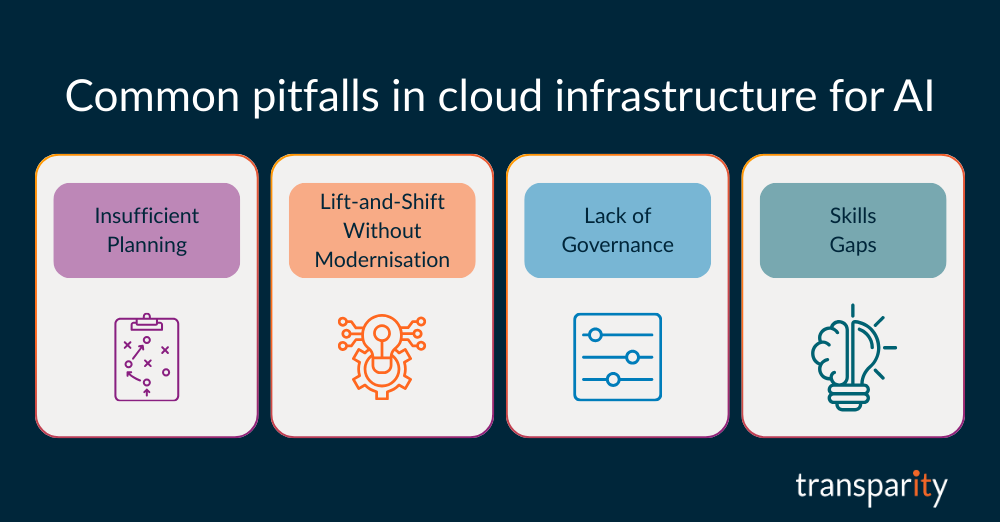
Moving to the cloud without a well-defined strategy often results in higher costs, technical debt, data loss and unnecessary disruption/impact.
Replicating legacy architectures in the cloud can cause unexpected challenges like limited performance, increased costs, conceal existing security gaps and limit future modernisation opportunities.
Without controls around cost management, identity, regulation, security, and application services, cloud environments can quickly become “runaway trains” – becoming difficult to manage, resulting in disrupted business operations and higher running costs.
Cloud success requires new capabilities both technical and operational – that many teams are still developing.
These pitfalls are avoidable with the right planning, expertise, and support.
A successful cloud journey requires more than technology decisions. It involves aligning people, process, and priorities.
Here are a few guiding principles:
Define objectives in business requirements, security objectives, and financial constraints, which will help define clear technological solutions for those objectives.
Take the opportunity to rethink how applications and services are designed and delivered, which may offer greater scalability or business continuity.
Invest in training, FinOps and change management to bring teams along the journey.
Establish frameworks early to ensure data governance and regulatory alignment.
A structured, phased approach typically yields better outcomes than migrations without clear direction.
As interest in AI continues to grow, Azure provides a practical, secure path to integration. Through services like Azure OpenAI, Azure Machine Learning, and Cognitive Services, organisations can begin incorporating AI into their operations, whether to enhance customer facing services, granular data analysis or automate internal workflows, all which can be done at scale.
Importantly, Azure supports responsible AI development, with governance tools and model transparency built in. For businesses exploring AI, the platform offers both the infrastructure and the tools to pilot, scale, and manage AI initiatives within the boundaries of corporate and regulatory requirements.
For organisations looking to move forward with Microsoft Azure and the broader cloud journey, a few initial steps can make a significant difference:
It’s no secret that most businesses have adopted a hybrid cloud strategy to meet their diverse infrastructure and data needs. Hybrid cloud, which combines on-premises data centres with public cloud services, provides businesses with greater flexibility, scalability, and cost-efficiency. However, managing this complex environment can be challenging. What’s the secret to managing your Hybrid Cloud environment? Microsoft’s Azure Arc.
During this blog, we outline how Azure Arc, Microsoft’s solution for simplifying hybrid cloud management, comes into play.
While hybrid cloud offers numerous advantages, it also introduces complexities that businesses must navigate carefully. Here are some of the challenges that we most commonly see from customers.
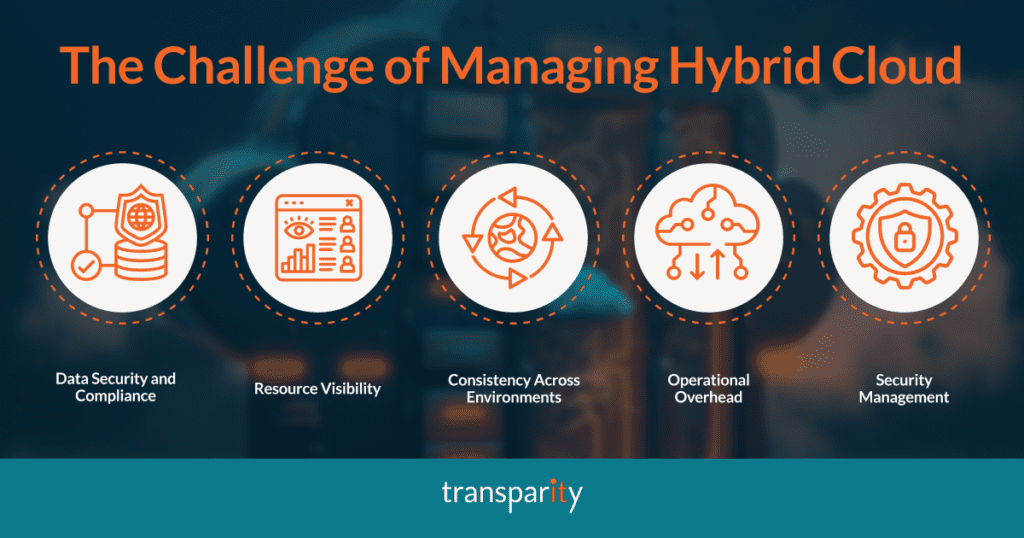
With data spread across both on-premises and public cloud platforms, ensuring compliance with data protection regulations (such as GDPR, CLDC, etc.) becomes a major concern. Different regions may have varying rules regarding where and how data is stored and accessed.
As businesses scale their hybrid cloud environments, managing resources across multiple platforms can lead to a fragmented view of the entire infrastructure. This lack of visibility makes it difficult to monitor performance, manage costs, and troubleshoot issues effectively.
Managing workloads across different environments requires consistency in policies, configurations, and governance. Without a unified approach, companies risk running into compatibility issues or fragmented operations that affect performance.
As organisations adopt more hybrid and multi-cloud architectures, managing multiple platforms and tools can increase operational complexity. It often leads to inefficiencies and increased manual effort.
Hybrid clouds introduce challenges around securing both on-premises and cloud resources. Protecting data, controlling access, and applying security policies consistently across environments require robust management tools.
Whilst it can be challenging to manage a Hybrid environment, many businesses need to keep these environment separate, so searching for ways to help support the management of their environments is a top priority for them.
Let’s dive into the secret to managing your hybrid cloud environment – Azure Arc.
Azure Arc is a set of technologies from Microsoft Azure that extends Azure’s management capabilities beyond Azure’s native cloud environment to on-premises, multi-cloud, and edge environments. It allows you to manage resources across a variety of environments, including physical servers, Kubernetes clusters, and databases, all from a single Azure interface. Essentially, Azure Arc makes managing hybrid and multi-cloud environments more streamlined and less fragmented.
By unifying the management of resources across different environments, Azure Arc provides a consistent management layer that integrates both cloud and on-premise infrastructure, ensuring security, compliance, and operational efficiency.
Azure Arc offers a comprehensive solution to these challenges by bringing Azure’s capabilities to on-premises, multi-cloud, and edge environments, offering the following key benefits.
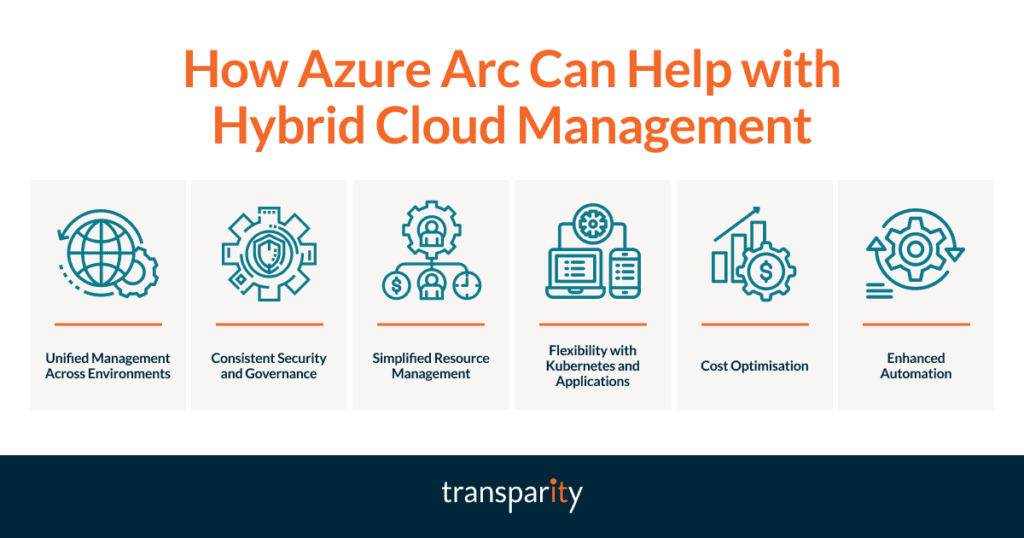
Azure Arc allows businesses to manage both their on-premises infrastructure and cloud resources from a single Azure portal. This unified management experience reduces the operational overhead and eliminates the complexity of managing multiple tools and platforms.
With Azure Arc, businesses can apply consistent security policies, governance controls, and compliance standards across their hybrid environment. By extending Azure Security Centre and Azure Policy to non-Azure resources, businesses can ensure their infrastructure remains secure and compliant regardless of where it resides.
Azure Arc provides visibility into resources across different environments, offering businesses real-time insights into their hybrid infrastructure. This visibility simplifies monitoring, troubleshooting, and performance optimisation.
Azure Arc enables businesses to manage Kubernetes clusters and deploy applications consistently across hybrid environments. Whether running workloads on Azure Kubernetes Service (AKS), on-premises, or in another cloud, Azure Arc allows organisations to manage and deploy applications uniformly.
Azure Arc allows organisations to apply cost management and optimisation techniques across hybrid and multi-cloud environments, helping businesses maintain control over their cloud expenditure.
By using Azure Arc, businesses can automate tasks such as patching, updates, and scaling across their infrastructure. Automation tools within Azure Arc help organisations maintain performance and reduce the manual intervention required to manage hybrid environments.
The complexities of managing hybrid cloud environments are undeniable, but Azure Arc provides a powerful solution to streamline and simplify this task. By offering unified management, consistent security, and the ability to govern resources across on-premises, multi-cloud, and edge environments, Azure Arc helps businesses reduce complexity, enhance operational efficiency, and ensure security and compliance.
For companies looking to optimise their hybrid cloud strategies and embrace the full potential of their infrastructure, Azure Arc is a game-changer. It allows businesses to focus more on innovation and growth, rather than being bogged down by the challenges of managing disparate systems and platforms.
It can be difficult to often imagine how technologies can work for your business, which is why we have pulled together some of our top use cases for leveraging Azure Arc.
A financial services firm operates across multiple regions and needs to maintain strict compliance with local data privacy laws. By using Azure Arc, the company can extend Azure’s security and compliance tools to its on-premises and other cloud environments, ensuring that all workloads adhere to the relevant regulations. Azure Arc’s unified management and governance capabilities also provide visibility into the firm’s entire infrastructure, helping IT teams monitor and secure sensitive financial data consistently.
A global retail company has a diverse IT infrastructure that spans multiple public cloud providers and on-premises data centres. With Azure Arc, the company can manage resources across multiple clouds and on-premises systems from a single portal. This simplifies operations, reduces complexity, and enables the company to adopt new technologies (like edge computing) more seamlessly, ensuring that its global e-commerce platform runs smoothly across all environments.
A manufacturing company relies on IoT devices to monitor production lines in remote locations. These devices need to process data locally for real-time decision-making but also require centralised management for software updates and data analytics. Azure Arc helps the company manage its edge infrastructure by enabling Kubernetes clusters and IoT solutions to be centrally governed, ensuring the smooth operation of the production lines while maintaining consistency with cloud applications and services.
A healthcare provider must store patient records in strict compliance with the Data Protection Act (DPA) 2018 and Common Law Duty of Confidentiality (CLDC). Healthcare organisations can adopt a hybrid cloud strategy, where patient records are stored on-premises, while non-sensitive applications are hosted in the cloud. With Azure Arc, the provider can apply consistent security policies and governance across both environments, ensuring that sensitive patient data remains protected and compliant.
As we step into 2025, the cloud landscape continues to evolve at a rapid pace, with Microsoft packing some exciting developments to look forward to.
This year promises to be an exciting one, from the increasing adoption of AI to the continued focus on hybrid cloud solutions, sustainability insights, and migrations, there’s a lot going on.
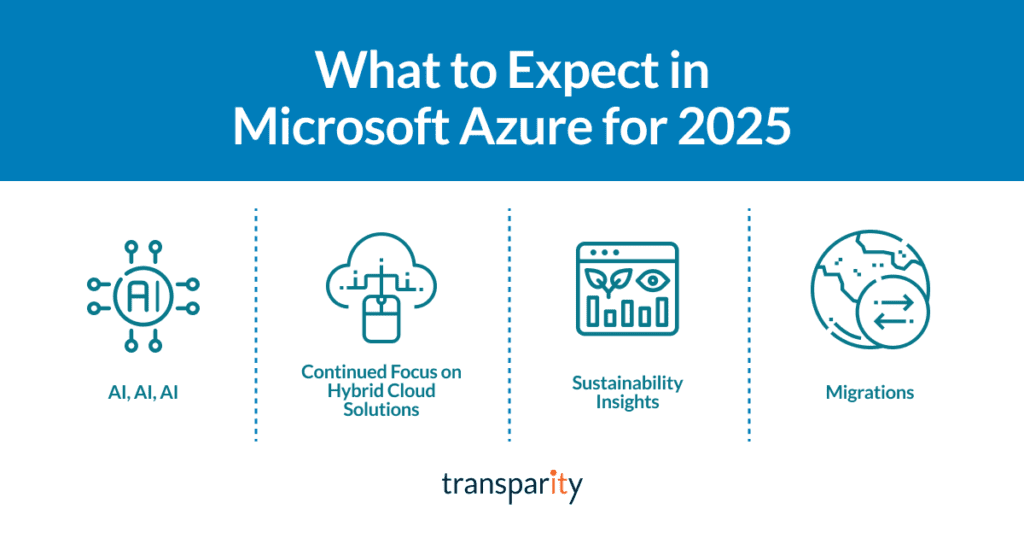
Let’s dive into the top cloud trends for 2025.
Artificial Intelligence is set to dominate the tech landscape in 2025, and Azure is no exception. As AI adoption increases, we can expect a greater reliance on best practice infrastructure and landing zones to support these workloads.
This year, the focus will be on creating robust and scalable environments that can handle the demands of AI applications. The Azure OpenAI Landing Zone Reference Architecture is a key resource for organisations looking to implement AI solutions effectively.
Check out that reference architecture here.
Hybrid cloud solutions will continue to be a major focus for Azure in 2025. With the introduction of Azure Local enabled by Azure Arc, Microsoft is making it easier for businesses to manage their cloud and on-premises environments seamlessly.
Azure Arc enables organisations to extend Azure management and services to any infrastructure, while Azure Local provides cloud infrastructure for distributed locations. These innovations are designed to provide greater flexibility and control for businesses, ensuring they can optimise their cloud strategies effectively
Sustainability is becoming an increasingly important consideration for businesses, and Azure is key to helping organisations achieve their sustainability goals. In 2025, we can expect to see improved visibility into sustainability insights, allowing customers to better understand the environmental impact of their Azure resources.
Microsoft has already started building tools to provide these insights, and we anticipate further expansion of these capabilities this year. This focus on sustainability aligns with the growing demand for eco-friendly business practices and the need to maintain accountability to our ESG goals.
The cloud trend of migrating to Azure shows no signs of slowing down in 2025. Many organisations are still in the process of moving their workloads to the cloud, and the pace of migrations is expected to continue at the same rate as in 2024. According to Gartner, more than 70% of companies have some cloud footprint, and over 80% are expected to adopt a cloud-first approach by 2025.
This shift towards cloud-native platforms is driven by organisations’ need for greater agility, scalability, and cost-efficiency.
2025 is shaping up to be an exciting year for Microsoft Azure and its users. With advancements in AI, a continued focus on hybrid cloud solutions, enhanced sustainability insights, and ongoing migrations, Azure is poised to remain at the forefront of cloud innovation.
As organisations continue to embrace digital transformation, Azure’s comprehensive suite of services and tools will play a crucial role in helping organisations achieve their goals. Stay tuned for more updates and get ready to harness the power of Azure in 2025!
If you are a VMware customer, you will have heard all about the acquisition of VMware by Broadcom. This takeover has created a lot of confusion and concern among VMware users with drastic changes to the VMware portfolio. In this blog, we look at what this acquisition means for your current workloads and explore the VMware alternatives available to you.
Broadcom’s acquisition of VMware has led to some major changes in its products and services that affect millions of customers worldwide. These changes are aimed at simplifying VMware’s portfolio, aligning with the industry trends, and proposedly offering more value and flexibility to customers.
However, they also pose some challenges and uncertainties for existing and potential VMware users, who need to understand how these changes will impact their IT environment and operations. Let’s take a look at the core changes.
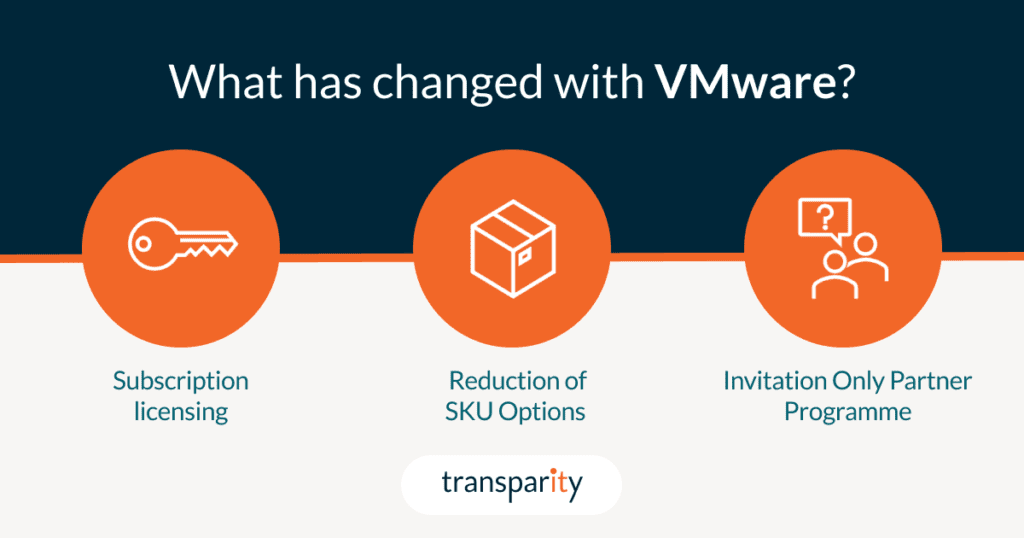
One of the main changes that affect VMware customers is the transition from perpetual to subscription licensing, which means that you will have to pay a recurring fee to use VMware products and services. This can have a significant impact on your budget and IT strategy, especially if you are used to paying upfront for your licenses.
This shift to perpetual licensing also impacts support and subscription (SnS) renewals, Hybrid purchasing program (HPP) and Subscription purchasing program (SPP) credits.
It’s worth noting that customers can continue to use perpetual licenses that they’ve already purchased but after a customer’s effective end date, new subscription licences cannot be purchased.
Another change is the reduction of SKU options to the two new subscription-based SKUs: VMware Cloud Foundation (VCF) and VMware vSphere Foundation (VVF). VCF is an enterprise-grade private cloud platform that includes vSphere, vSAN, NSX, and Aria suite of tools, while VVF is a basic on-premises offering that includes Aria Operations and Aria Operations for logs. These SKUs are now based on per-core licensing, which requires a minimum of 16 cores per socket and 2 sockets per host, affecting smaller organisations with increased costs that don’t need that quantity of resources.
Additionally, VMware has discontinued some products and features, such as ESXi Hypervisor Free Edition which was previously commonly used for training, testing, or POC purposes. For a full breakdown of the changes, see the table provided here.
VMware has also sold off its EUC division to private equity firm KKR, which includes the VDI solution Horizon, and Workspace One an Endpoint management platform. Although KKR promises to provide further innovation and investment to the product, Horizon will likely struggle to maintain market share as flexible working requirements increase the demand for cloud-based VDI solutions such as Azure Virtual Desktop.
VMware has become an invitation-only partner program, meaning that not all partners will be able to sell and support VMware products and services. This can create uncertainty and disruption for customers who rely on their existing partner relationships and want to continue working with them. Moreover, VMware support has migrated to Broadcom support portals, which may affect the quality and availability of technical assistance, we will have to wait and see on this one.
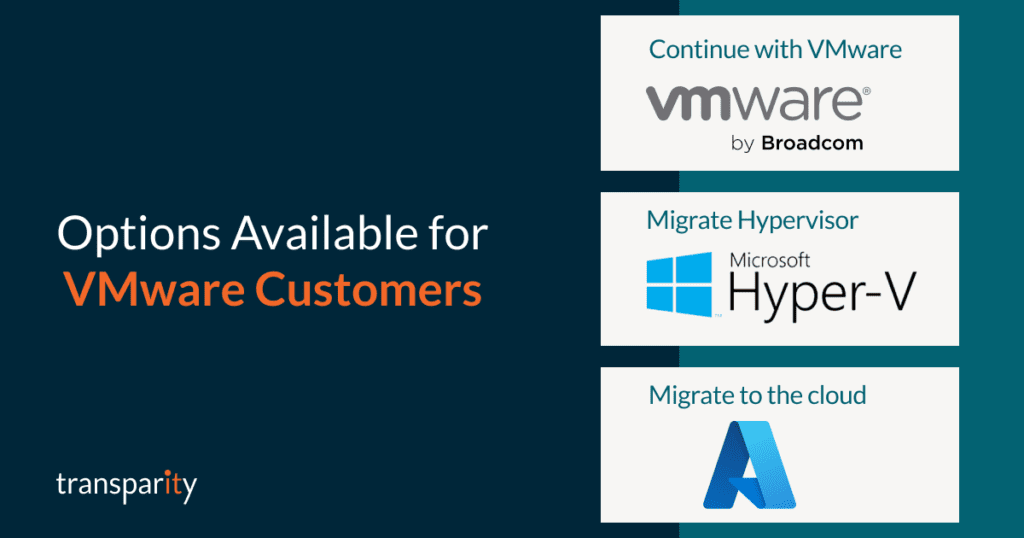
As a customer who is affected by the recent changes, you may be wondering what the VMware alternatives are. Depending on your IT strategy, migration timeline, budget, and cloud skills, you have different routes to consider. Here are your possible options and their pros and cons.
In the next section, we focus on the third VMware alternative, migrate to the cloud, and show you how you can use Azure as your destination platform.
One option for migrating your VMware workloads to Azure is Azure VMware Solution (AVS), a service that allows you to run VMware on dedicated Azure infrastructure managed by Microsoft. With AVS, you can leverage your existing VMware skills, processes and tools to manage and operate your VMware environment in Azure. You can also benefit from the scalability, security, and integration of Azure services, such as backup, monitoring, identity, and networking.
We will explore the full benefits and challenges of choosing AVS in our next blog.
The other possible route away from VMware is to migrate your workloads to Azure native services, such as IaaS Azure VMs or PaaS services such as Azure App Service, Azure SQL, Azure Files, and Azure Virtual Desktop. These services offer more scalability, flexibility, security, and integration with the Azure cloud platform, and can help you reduce costs, improve performance, remove management overhead and modernise your applications.
While AVS can offer a quick and easy way to migrate your VMware workloads to Azure, it isn’t the best long-term solution for your organisation. AVS still relies on the same VMware stack that runs on-premises, which means you will miss out on some of the advanced features and capabilities that Azure native services provide, such as autoscaling, serverless computing, AI and analytics, DevOps integration, and more. By migrating to Azure native services you can move along your migration journey and modernise your applications and data, making them more secure, resilient, and agile.
If you’ve looked at the VMware alternatives and decided the cloud is right for you, we can help. Whether you want to migrate to AVS, jump straight to Azure native or just aren’t sure yet, we can help you with your migration journey. Transparity offers a range of services and solutions, including:
We promise to find you the best migration route for your workloads. If you end up with AVS, we can offer you:
Azure Virtual Desktop (AVD) is a Desktop and App virtualisation service that runs completely in the Azure public Cloud. Virtualisation is a method of streaming a user’s desktop or application remotely to a device so it can be accessed anywhere. Prior to cloud computing in an on-premises scenario, this was often achieved using technologies such as Remote Desktop Services or Citrix.
In a post-pandemic world where remote working is common, AVD allows users to access work-related applications from their own devices anywhere in the world. With the end of support for Windows 10 fast approaching, AVD stands out as a practical and timely solution for organisations needing to transition to a modern, secure platform without immediate hardware replacement investments.
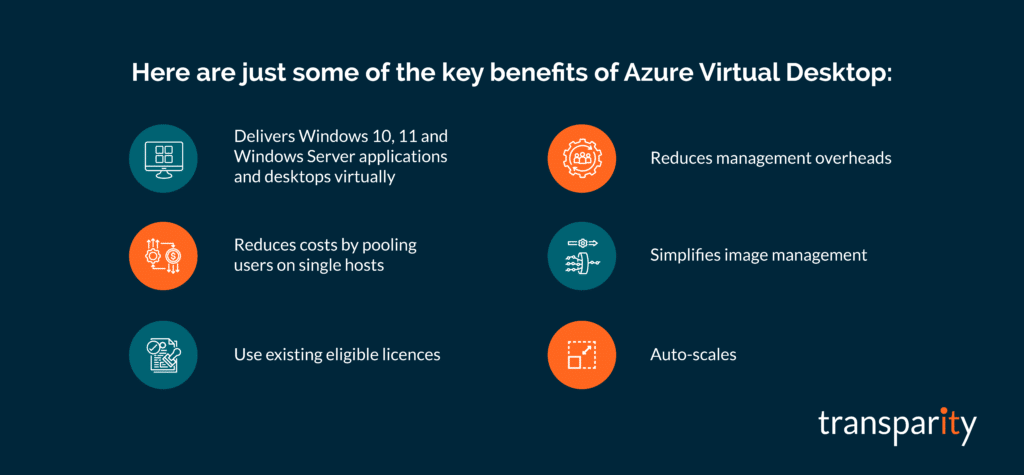
Since its release in late 2019, AVD has continued to add new features and capabilities which has helped it become an extremely useful tool for business and enterprise users all around the world. Some of the key benefits of the solution include:
With the end of support for Windows 10 fast approaching, now is the time for organisations to choose between migrating to Windows 11 or an alternate option.
AVD is a compelling solution for organisations transitioning away from Windows 10. One of its key advantages is the ability to migrate seamlessly to Windows 11 without the need for costly hardware upgrades, enabling organisations to optimise their existing assets while embracing modern technology. Furthermore, AVD’s flexibility in delivering virtual desktops and applications to diverse devices ensures continuity for remote workers and teams spread across different regions.
In addition to its operational benefits, AVD prioritises compliance and security by offering secure, virtualised access to applications and desktops. As the end of support for Windows 10 approaches, this becomes especially critical, ensuring that organisations are not exposed to vulnerabilities associated with unsupported systems. With built-in security features such as identity management, data encryption, and regular updates, AVD provides a robust environment that aligns with regulatory requirements and protects sensitive information, making it an ideal solution during this transitional period.
For organisations looking to stay agile and competitive as Windows 10 reaches the end of its lifecycle, AVD provides a future-ready platform that combines scalability, performance, compliance, and security with all of the benefits listed in the above section as key contributing factors.
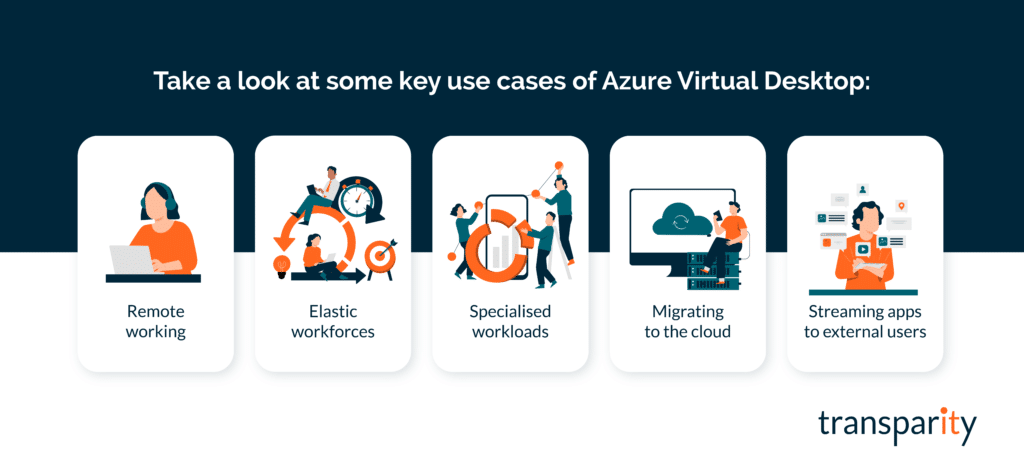
As AVD is provided via various licensing options including the ability to provide external user access via per-user access pricing, the service has a number of use cases, including:
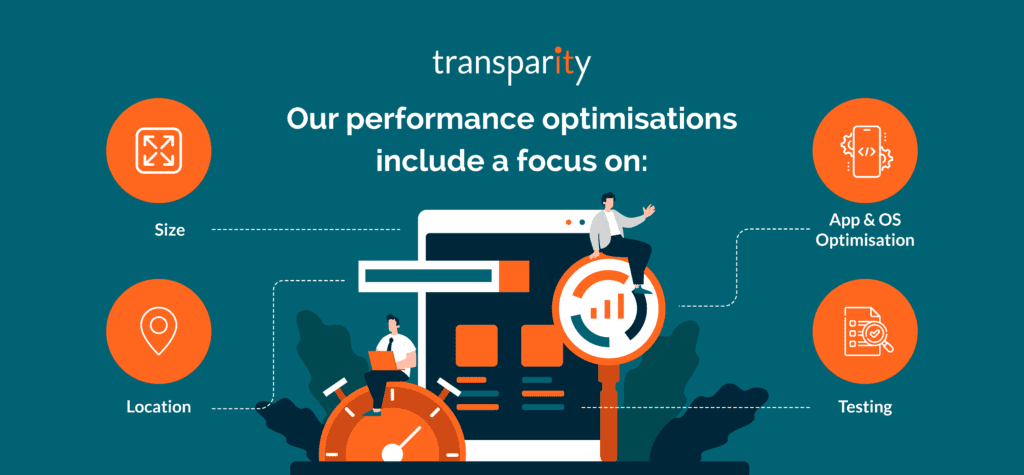
The planning and design phase of any AVD deployment is important to ensure the user experience is as good as possible. The apps and desktop should feel like they are running locally to the user and not from the cloud. There are a few performance-related areas to think about when trying to improve the user experience:
As with many solutions in the cloud, performance is important. However, performance needs to be balanced with cost. As previously covered, the cost for users in AVD is via licensing, many of which organisations will already be using today. An additional cost comes from the AVD service and infrastructure running in Azure, which includes Sessions Hosts, Storage, Logging, Backups and Networking.
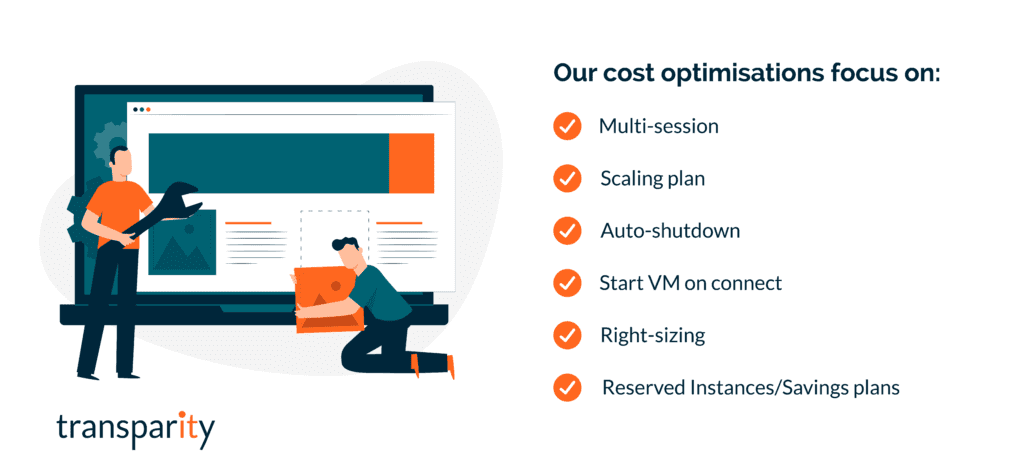
Licencing costs are easier to predict than the infrastructure, but with correct planning and an understanding of the available features you can optimise for costs. Some key areas to think about when balancing cost with performance include:
Azure Virtual Desktop has become an extremely popular service over the last few years and with the increase in remote working, this isn’t likely to change. As discussed in this blog, the increase in performance alongside the reduction of management overheads is significant compared to traditional VDI solutions, thus making this a no-brainer for companies looking to empower their users via the public cloud. To conclude this blog post, some key takeaways for AVD include:
With a team of experts dedicated to infrastructure and the Azure cloud, our specialists are knowledgeable and experienced and at implementing Azure Virtual Desktop. If you are wondering if this is right for you, why not get in touch and find out how we can help.
Or check out our Azure Virtual desktop case studies:
FinOps, as a term, is a combination of Finance and DevOps, as it brings together the business and engineering sides of an organisation for collaboration. Often thought of as Financial Operations, it is better defined as a cloud financial management discipline and culture.
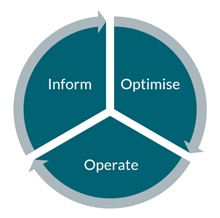
In our last blog post, Introducing FinOps, we went over the six key principles of FinOps and the three phases of FinOps management: Inform, Optimise and Operate. To explore those themes and some tips straight from our Azure Expert, Anthony Cooke, take a read of that post, here.
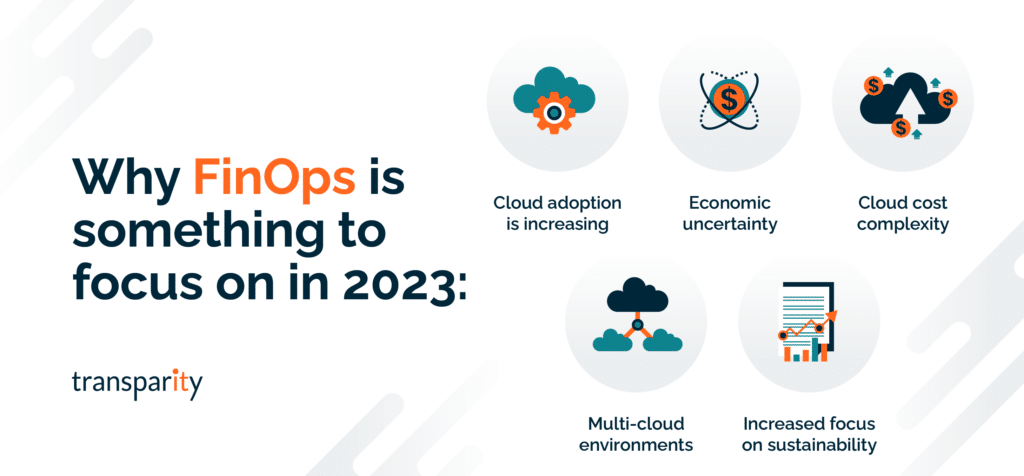
In this post, we are going to look at why you should implement FinOps along with some specific headwinds of 2023, making it a topic worth investigating. As well as some of the Microsoft tools available for cost-savings and implementation of an effective FinOps strategy in your organisation.
Cloud adoption and the usage of cloud technologies continue to grow across all organisation sizes and markets. One of the biggest challenges a company faces when adopting cloud technologies is switching from a traditional CapEX (Capital Expenditure) spending model to OpEx (Operating Expenditure), meaning cloud spend is tied to day-to-day operational spending instead of larger one-time purchases every few months or years.
The change in cost model introduces its own challenges for organisations, including unpredictable bills, spiralling costs, and cost inefficiencies due to waste. Due to the aforementioned challenges, it’s important that cloud spend is monitored and controlled correctly and that’s where FinOps can help.
FinOps is a set of practices and processes aimed at optimising cloud costs and maximising the value delivered by cloud services. FinOps combines principles of financial management, cloud operations, and cloud governance to help organizations understand and manage the financial impact of their cloud usage.
The goal of FinOps is to create a culture of accountability and collaboration between IT, finance, and business teams, allowing them to make data-driven decisions about cloud usage, optimise spending, and align cloud resources with business objectives. FinOps involves monitoring and analysing cloud costs, identifying cost drivers, and implementing policies and tools to optimise cloud usage and reduce waste.
In short, FinOps is a framework that helps organizations manage their cloud costs effectively, enabling them to make informed decisions about cloud investments and usage, and ensuring that they are getting the most value from their cloud resources.
With pressing assignments, underway projects and a task list up to the roof, you may be wondering why you should use your valuable time to focus on FinOps.
If you are like many organisations, you have been steadily moving your workloads to the cloud, partly for the opportunity for innovation it provides and partly for the promise of cost-savings over the traditional method of on-premises infrastructure. However, though the security, scalability and avenues for innovation have certainly delivered, the promised savings may not be in sight. If you’re overspending, looking at budget caps in your rearview mirror and wondering where the unplanned for costs are coming from, you are not alone.
This is exactly what many organisations are experiencing and with cloud usage decentralised across departments, it can be difficult to isolate where the overspend is occurring and who is responsible for resolving it.
FinOps is designed to help disparate teams speak the same language and manage costs without limiting or adding obstacles to the cloud. After all, there is no point in implementing this if it negates the innovation benefits of being in the cloud in the first place. If you want to continue with cloud uptake, usage, and innovation, then FinOps is a necessity, not a luxury.
Though cloud financial management is never going to be unnecessary, with certain economic factors this year and a change in IT budgets and spending now is a very appropriate moment to be focussing on this topic.
The range of discounts and tools available for cloud cost savings and optimisation is vast. Microsoft Azure alone provides a comprehensive set of tools and services to help organizations implement FinOps practices and if you are not making use of these, just this missing step alone is money going down the drain.
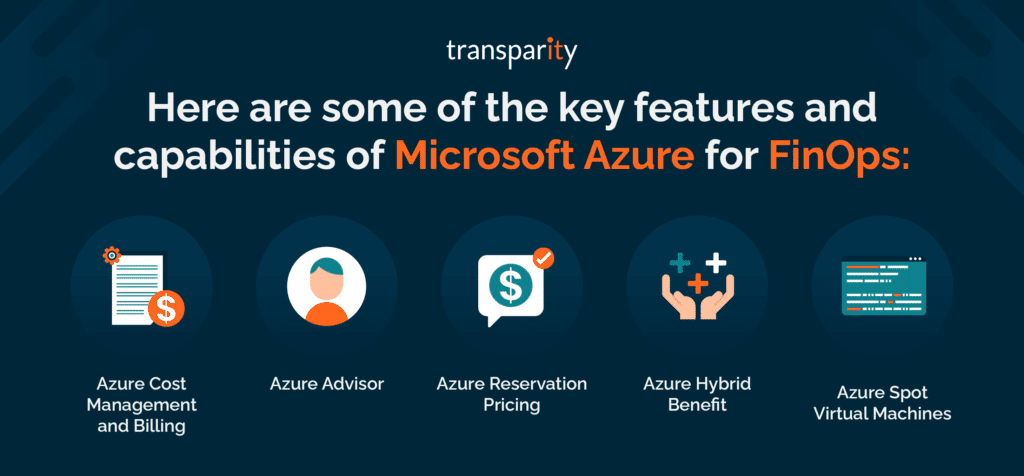
As a Microsoft Partner, we’d like to highlight just some of what is to offer for managing your cloud costs effectively within Azure. Here are some of the key features and capabilities of Microsoft Azure for FinOps:
Overall, Microsoft Azure provides a robust set of tools and services to help organisations implement FinOps practices and manage cloud costs effectively. By leveraging these tools and services, organisations can optimise their cloud usage, reduce costs, and get the most value from their cloud investments.
There are many aspects to FinOps – remember it is a cultural practice, so the use of these tools alone is just one angle to address. Nevertheless, it can be a great place to start for quick cost-saving wins.
With a team of experts dedicated to infrastructure and the Azure cloud, our specialists have designed a full offering to help any organisation, no matter at what place in the journey, understand and implement FinOps. If you are interested in cost-optimisation and better cloud financial management, why not get in touch and find out how we can help.
The FinOps Foundation defines FinOps as “An evolving cloud financial management discipline and cultural practice that enables organizations to get maximum business value by helping engineering, finance, technology, and business teams to collaborate on data-driven spending decisions.”
FinOps is not a specific technology or single process, it’s a cultural practice whereby everyone involved in cloud usage takes ownership, control, and accountability for cloud spend. Engineers, infrastructure teams, product owners, executives, finance and operations all come together following the FinOps culture in order to improve cost efficiencies, cost visibility and cost predictability going forward. With the overall goal of cloud cost-optimisation.
Cloud adoption and the usage of cloud technologies continue to grow across all organisation sizes and markets. One of the biggest changes a company faces when adopting cloud technologies is switching from a traditional CapEX (Capital Expenditure) spending model to OpEx (Operating Expenditure), meaning cloud spend is tied to day-to-day operational spending instead of larger one-time purchases every few months or years.
The change in cost model introduces its own challenges for organisations, including unpredictable bills, spiralling costs, and cost inefficiencies due to waste. Due to the aforementioned challenges, it’s important that cloud spend is monitored and controlled correctly and that’s where FinOps can help.
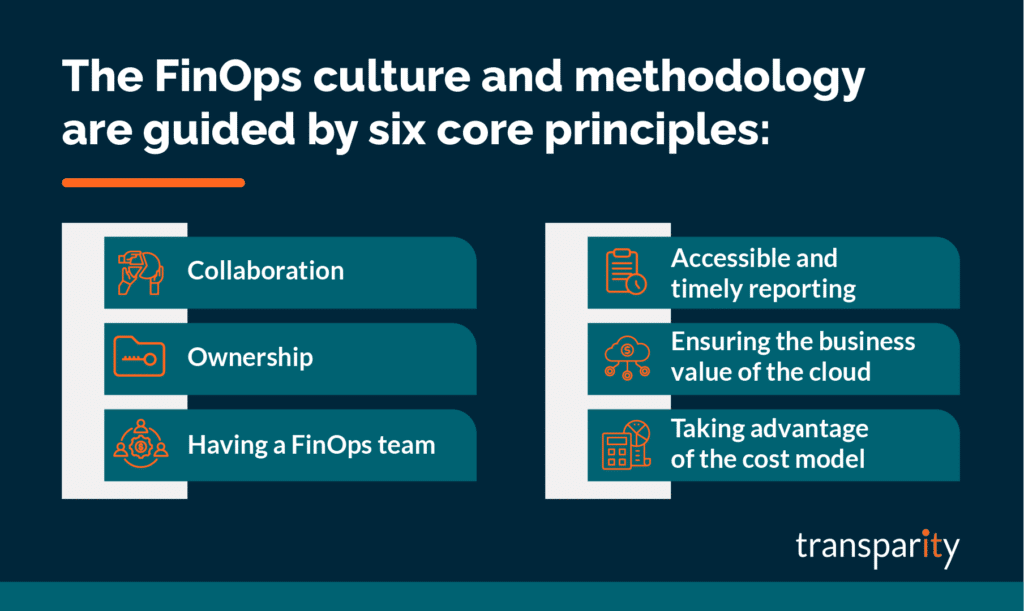
The FinOps culture and methodology are guided by six core principles. All of which are equally as important and should be practiced by everyone responsible for cloud spend. Let’s take a look at each one.
Everyone within a business needs to work together and collaborate to monitor, control and improve cost optimisation. FinOps is not just a focus for the finance team.
Everyone must take ownership of their cloud usage. Product teams should budget and own the cost of their specific products. Engineers and architects must think about costs when designing and building workloads. Software developers should see cloud costs as a trackable metric that’s just as important as other metrics such as performance.
Create a specific centralised FinOps team within your business that can focus on FinOps best practices, and processes and encourage others within the business to focus on their specific FinOps tasks. Similar to governance or security teams whereby they own the processes and best practices, yet everyone within the business is responsible for their specific tasks.
The FinOps team would usually focus on areas such as process creation, utilisation, discounts, negotiations, customisations and licensing.
It’s imperative to have visibility of cost data that is updated in real-time and accessible by everyone at all levels of the business. This helps to drive efficiency and cost-optimisation whilst empowering team members to make decisions quickly.
Alongside cost data, the visibility of resource changes and cloud service activity logs is also very useful as this can explain why a specific cost has increased and assists with accountability.
FinOps and cloud solution cost-saving exercises should always be balanced against your business decisions, desired outcomes and reasons for adopting cloud technologies in the first place. It would be very easy to cut costs from any cloud bill if you blindly ignored the negative effects it would have on performance, speed, agility or user experience.
Be practical with your decisions and technical designs to ensure a workload first and foremost meets your required outcomes. Then see how you can optimise costs within those parameters.
View the OpEx cost model as an opportunity to add value and increase agility instead of something that is a blocker or added risk.
To implement FinOps within your business, you must think of it as a lifecycle that covers three specific phases of FinOps Management:
The first phase of the FinOps lifecycle is ‘Inform’ and this is all about understanding and reporting on your current costs in order to use the information to inform the rest of the business. The more you know about your current spending and cost control, the more informed you will be going forward to make the right changes and decisions to optimise costs.
The key areas to think about include budgeting, forecasting, allocation and visibility. Microsoft Azure includes a cost management service that will assist with many of the key areas of focus including reporting. However, you must ensure you are tagging resources with key information such as owner, product or cost code. The more information you assign to a cloud service, the easier it will be to report and in turn, inform the rest of the business of the gathered information.
The ‘Optimise’ phase is where you start to use the information you’ve previously gathered and take actions that have a tangible effect on your cloud spend. A few key areas of focus include:
The third stage of the lifecycle is ‘Operate’. Operationally you should be looking to continuously improve your FinOps culture and monitor against the goals and processes you have previously defined. Set up meetings between FinOps team members, measure against set KPIs and document improvements that are visible to everyone. Work collectively and improve the culture as you work through the cycles.
As with any introduction of a new culture within a business, don’t expect it to be instantly perfect. Actually, it’s advised to take a “Crawl, Walk, Run” approach when implementing FinOps within an organisation. Take small steps and focus on specific scopes at the beginning to test your processes and approach. As the maturity grows, scale out what does work for you and improve what isn’t working.
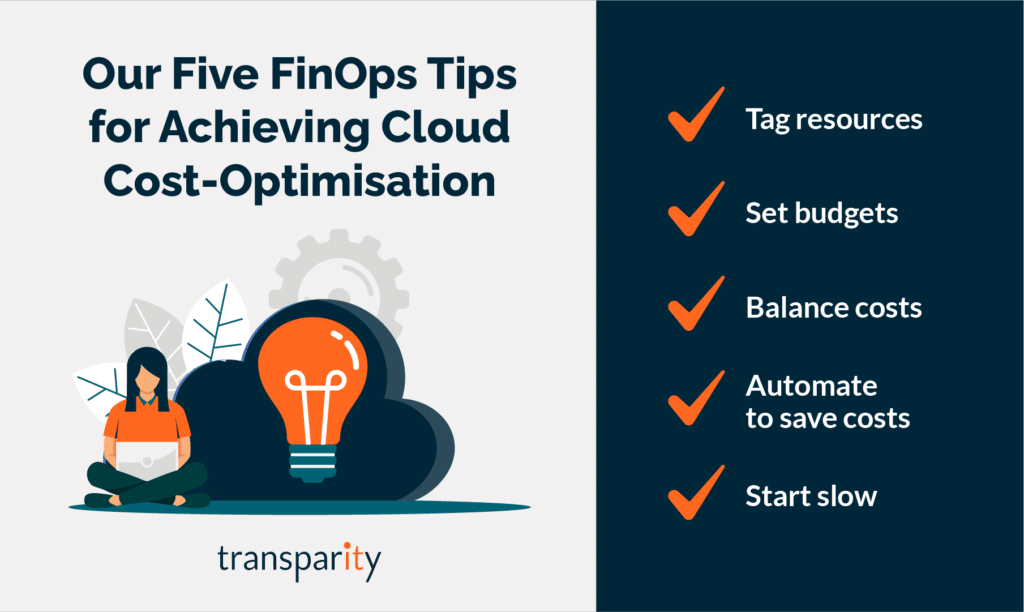
Finally, I will leave with my top 5 tips for FinOps:
With a team of experts dedicated to infrastructure and the Azure cloud, our specialists have designed a full offering to help any organisation, no matter at what place in the journey, understand and implement FinOps. If you are interested in cost-optimisation and better cloud financial management, why not get in touch and find out how we can help.
The Azure Well-Architected Framework is a set of guidelines spanning five key pillars that can be used to optimise your workloads. In the previous blogs, we covered Reliability, Security, Cost Optimisation and more recently Operational Excellence. This time we will focus on Performance Efficiency, which is the fifth and final pillar of the framework.
Prior to the age of cloud computing, measuring and scaling performance was an extremely important factor in managing applications and workloads. To ensure sites and services could handle increases in load and traffic, it was very common to overprovision hardware in order to handle the spike in demands. Although this would ensure business requirements could be met, it wasn’t a very cost-effective solution. However, since the start of Cloud Computing was of the biggest drivers for adopting cloud solutions is its ability to scale on demand whilst keeping costs down. Performance efficiency is the ability of your workload to scale to meet the demands placed on it by users in an efficient manner.
Although many cloud services offer some degree of Performance Efficiency out of the box, as with on-premises systems you still have to manage, test and monitor your workloads to get the best out of the solutions available.
A Well-Architected workload viewed through the lens of Performance Efficiency is a workload that is designed in a way that improves performance whilst ensuring it can scale to meet users’ demands. Design patterns and possible trade-offs against security, cost and operability also need to be considered.
Specific to Performance Efficiency, at a high level you should be thinking about the following areas and processes:
When designing for Operational Excellence in Azure, there are a set of principles covered in the Framework that you must think about, those principles include:
Some of the best tips or recommendations for Performance Efficiency are as follows:
Over the last five blog posts, we have covered the Azure Well-Architected framework including its five pillars and principles and shared some useful tips along the way.
As mentioned previously, a great place to further your understanding of the framework whilst reviewing a current workload is the Well-Architected Review located here alongside Microsoft Learn documentation.
For a more in-depth Architecture Review or a specific Performance Efficiency review feel free to reach out to the Transparity Azure Cloud Services team.
As always, Microsoft Ignite came packed with major updates across the Microsoft stack. And Azure is no exception.
With a focus on “Do more with less in the Microsoft Cloud”, Microsoft Ignite aimed to enable customers to:
As premium event sponsors, we had a front-row seat to the exciting updates Microsoft announced. Here, we’ll share our key takeaways from the event and the updates we think you need to know about in Azure.
Of course, some of these updates are quite technical – if you have any questions or want to discuss how these updates affect your cloud environment don’t hesitate to get in touch.
Customers commit to spending a fixed hourly amount for one or three years on compute services – paid all upfront or monthly.
As you use select compute services across the world, your usage is covered by the plan at reduced prices, helping you get more value from your cloud budget. If you go over your committed usage, you’ll be billed at the regular pay-as-you-go prices. Savings automatically apply across compute usage globally.
Customers may see estimated savings between 11%-65%.
By default all logs are sent to Log Analytics, this new integration will let you send logs to Azure Monitor and choose where to send the logs.
You can now leverage Azure Storage, Event Hubs and other partner solutions. This provides a single pane of glass for monitoring by allowing you to use Azure Monitor to Monitor Container apps.
New capabilities added to Azure Automanage, this allows you to save time, reduce risk and improve workload uptime by automating day-to-day configuration and management tasks.
New SKU To enable DDoS protection on individual public Ips. IP Protection will contain the same features as Network protection.
Network protection will gain the following services:
Billing is effective as of 1 Feb 2023.
Windows Server 2022 is now supported on AKS bringing security improvements, available for Kubernetes v1.23 and higher.
New option for SQL servers on VMs ensure the data in use as well as the data at rest stored on your VM’s drives, are inaccessible to unauthorized users from the outside of the VM without changing the code of the SQL Applications.
ART is replacing the Network watcher topology. ART will allow users to draw a unified topology across multiple subscriptions, regions and resource groups.
ART will allow deep dives into the environments layout, it also allows for monitoring/diagnostics with the capability of running ‘Next Hop’ directly from a resource within the ART view after specifying a destination. Plus:
Azure Monitor can forecast CPU Load to your VMMSS based on historical CPU usage patterns and scale-out occurs in time to meet demand. You can configure how far in advance the new instances are provisioned and view predicted CPU forecast without triggering the scaling action with forecast only mode.
Access WAC within Azure – perform maintenance and troubleshooting tasks such as managing your files, viewing your events, monitoring your performance, getting an in-browser RDP and PowerShell session,
The Azure Well-Architected Framework is a set of guidelines spanning five key pillars that can be used to optimise your workloads. In the previous blogs we covered Reliability, Security and Cost Optimisation alongside relevant services, processes and assessments. This time we’ll focus on the Operational Excellence pillar of the framework.
The services and technologies you use in the cloud differ hugely compared to those on-premises. But, what doesn’t differ is the requirement that all deployments and environments are reliable and predictable. Operational excellence is the forth pillar of the Well-Architected framework that covers the operational processes you require to ensure applications continue to operate.
The key processes that fall within operational excellence are Workload Automation, Workload Release, Monitoring and Testing. The end goal is to achieve superior operational practices.
Similar to the previous Security and Cost Optimisation pillars, Operational Excellence must be thought about throughout the lifecycle of a workload, including design and architecture phases, but especially once the workload is running. The management of a service and the related processes should not be retrofitted to environments or services, you must think about these areas early on as it will reduce management overhead in the long term.
A Well-Architected workload viewed through the lens of Operational Excellence is a workload this is released in an automated manner, monitored and tested in an efficient way to ensure the application provides value not just to your customers, but to your internal development and operations teams.
Specific to Operational Excellence, at a high-level you should be thinking about the following areas and processes:
When designing for Operational Excellence in Azure, there are a set of principals covered in the Framework that you must think about, those principles include:
Some of the best tips or recommendations for operational excellence are as follows:
Azure policy is a free Azure service that allows you to enforce resource-level rules across your Azure estate that can assist in the adoption on operational best practices. Azure Policy is also a great tool for configuration drift management and monitoring. For example, Azure Policy can ensure all workloads adhere to a specific set of security rules such as HTTPS usage or TLS.
Azure Advisor is a fantastic resource that provides a set of Azure Policy recommendations that, in turn, can be used to identify opportunities to implement best practices across your workloads.
Use the DevOps checklist to review your design and management from a DevOps Standpoint. The checklist covers culture, development, testing, release, monitoring and management. The checklist can be found here
Strangler Fig is a cloud design pattern that covers incrementally migrating a legacy system by gradually replacing specific pieces of functionality with new apps or services. Eventually, the older system is ‘strangled’ by the new system and eventually it takes over.
Take time to understand and plan your operating model and internal teams. For example, managing loosely coupled architecture requires procedural decoupling as teams shouldn’t have to depend on partner teams to support, approve or operate their workloads.
We will continue to cover the remaining pillars throughout this series of blogs. As highlighted on previous posts, you can review your current posture against the five well-architected pillars. The tool is free and can be accessed here.
For a more in-depth Architecture Review or a specific Operational Excellence Review feel free to reach out to our Azure Cloud Experts.