
In this blog series, we discuss Governance in Azure and how to ensure you have covered all aspects and thought about the most valuable areas for your business and the way you work. This blog looks at how Azure Tagging plays a significant part in establishing a strong Governance posture in your Azure subscriptions. Tags are similar to clothing tags, in that the tag would be used to identify a brand, colour, size, cost, record of demand, and ultimately its value to your business.
By utilising Tags in Azure, you can gain insights into your workloads, usage, associated costs, owner, and even orphaned resources.
When considering your Azure Tag strategy, it is sensible to consider the following:
Once you have defined your Tag Strategy, you should use Azure Policy to apply your Tags to ensure that all resources that support newly deployed Tags and/or create a remediation task to apply Tags to existing resources. There are multiple options within Azure Policy where you can apply Tags based on a Resource Group and subsequently the resources within can inherit the Tags.
Your Tag Strategy should be defined at the start of your Landing Zone design however these are common Tags that are frequently used as a baseline:
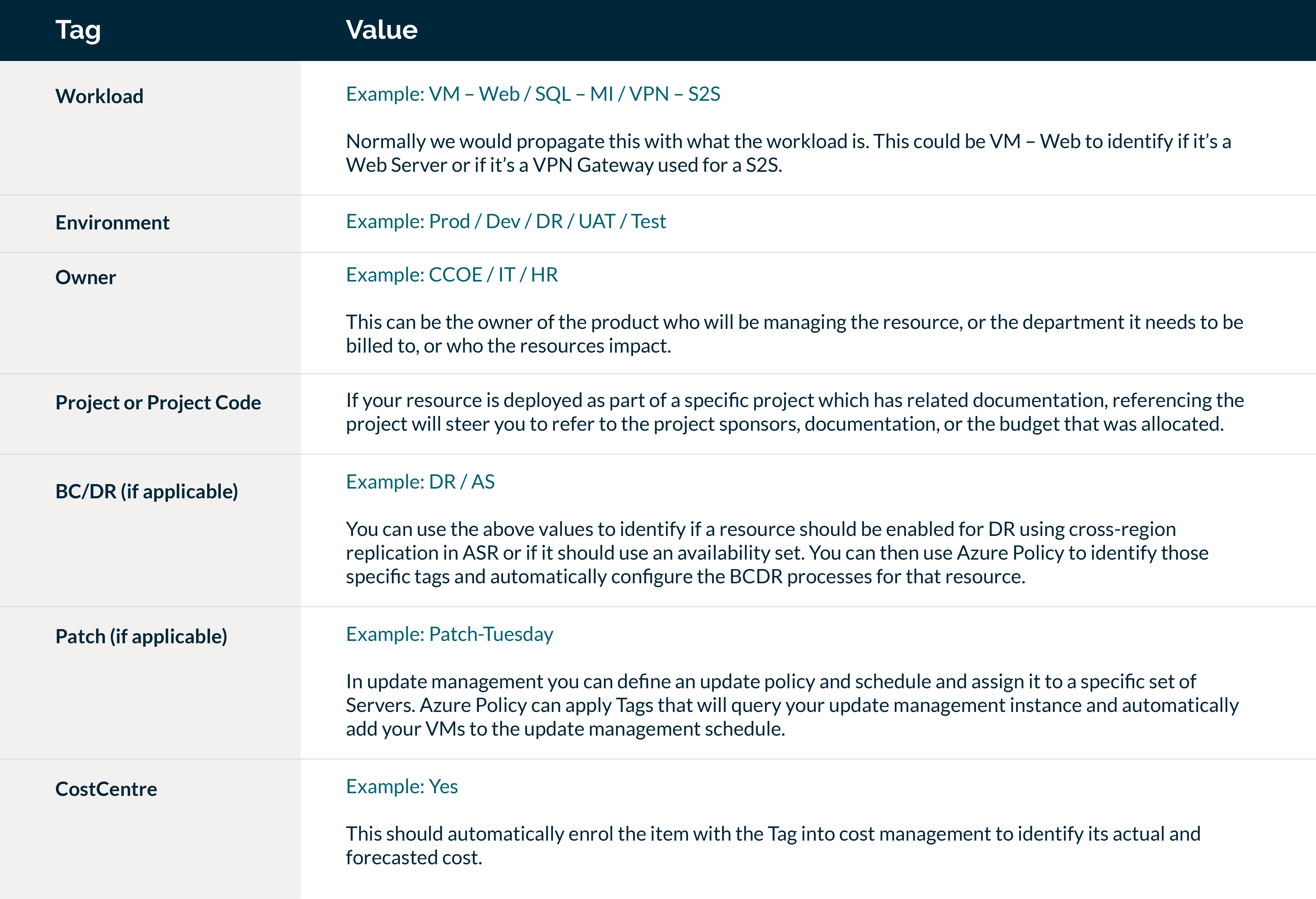
For fellow cloud engineers out there, here are the policies I have used in Azure to enforce Tags across Resource Groups and subsequent resources:
Policy 1: Add Tag to Resource Groups
In the table above there are 7 Tags we wish to apply. However you should consider this as 14 values altogether as you need to set both Tag name and value. These will be categorised together in Azure Policy as follows:
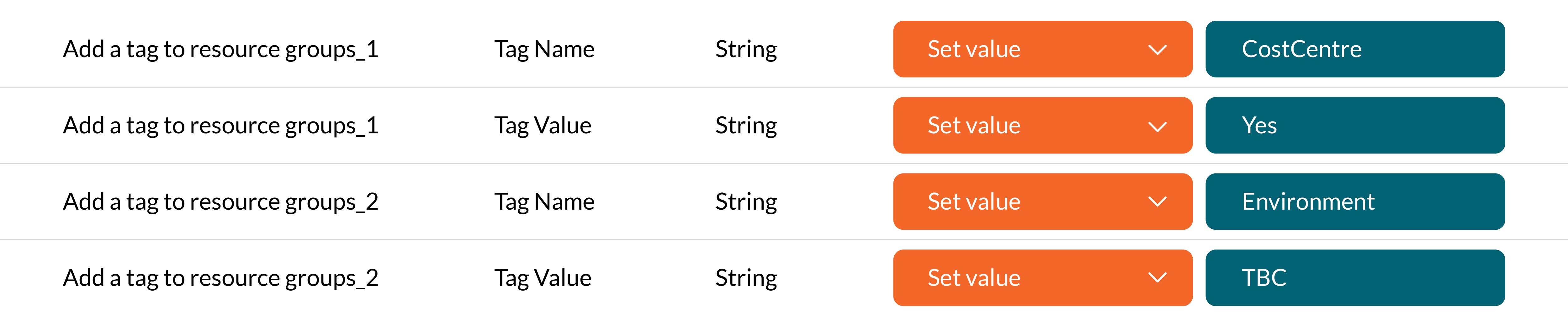
This will add the Tag to the Resource Group for CostCentre and its value being Yes – and for Environment and TBC as its value.
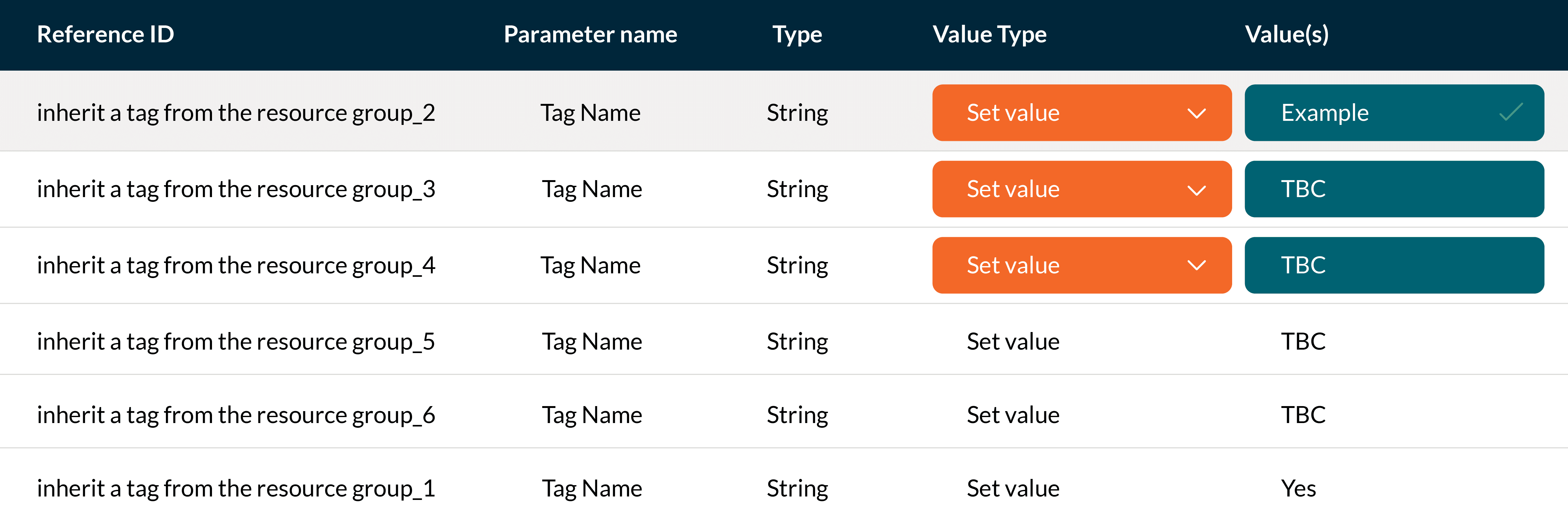
Policy 2: Inherit a Tag from the Resource Group
Once you defined what Tags you want to add to the Resource Groups you then need to configure the inheritance of the tags to ensure it is applied to the resources within the Resource Group.
The inherit tag policies will incorporate the same numbering that machines the numbers above and enforces the value against the Tag.
To summarise, Azure Tags provide us with the ability to categorise our Resources and allow us to use automation tools such as Azure Policy to fully automate standardisations across your Azure environment. By defining a robust and strict Tagging strategy, best practices can be implemented as standard and organisations can ensure their resources are embedded with cost optimisations and compliance within their subscriptions.
Four key takeaways
Future blogs in this series will cover the following:
