
As more organisations are moving their workloads to the cloud, it is essential to monitor the performance and availability of their applications and control the budget. Microsoft Azure provides a range of tools to help developers and IT professionals monitor their applications’ health and costs, including Azure Alerts, Azure Application Insights, Azure Dashboards and Azure Budgets. In this article, we will discuss how to use Azure to monitor your applications and receive customized alerts.
AZURE APPLICATION INSIGHTS FOR APPLICATION PERFORMANCE
Azure Application Insights is a service that helps you monitor the performance and usage of your applications. It does this by collecting telemetry data, including metrics, logs and traces. You can use Application Insights to gain insights into how your application is performing and identify issues that may be impacting your users’ experience, creating Azure Alerts based on the collected data.
Application Insights provides other features including, but not limited to:
AZURE ALERTS FOR MONITORING APPLICATION HEALTH
Azure Alerts is a service that helps you monitor the health of your Azure resources by automatically sending email and/or SMS notifications when a specified condition is met. You can set up alerts for various metrics, including CPU usage, memory usage and network traffic. Plus, you can create further customised alerts like application errors and volume of requests.
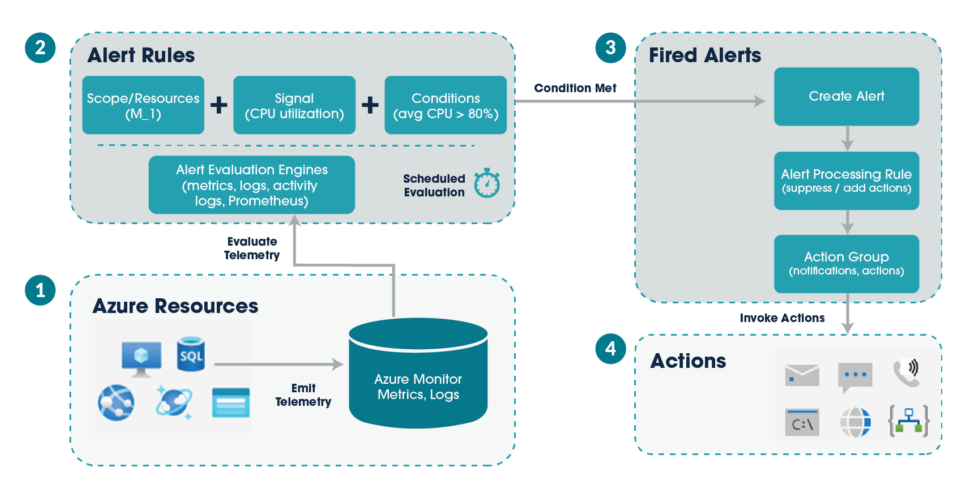
The following diagram shows how alerts work.
AZURE DASHBOARDS FOR APPLICATION MONITORING
Azure Dashboard is a web-based tool that allows you to create interactive and customisable dashboards to monitor and analyse your Azure resources. With Azure Dashboards, you can collect data from various sources, including Azure Application Insights, Azure Monitor, Azure Resource Graph, and Azure Log Analytics. As well as create charts, tables, and visualizations. Together you gain insight into the performance of your resources and troubleshooting errors.
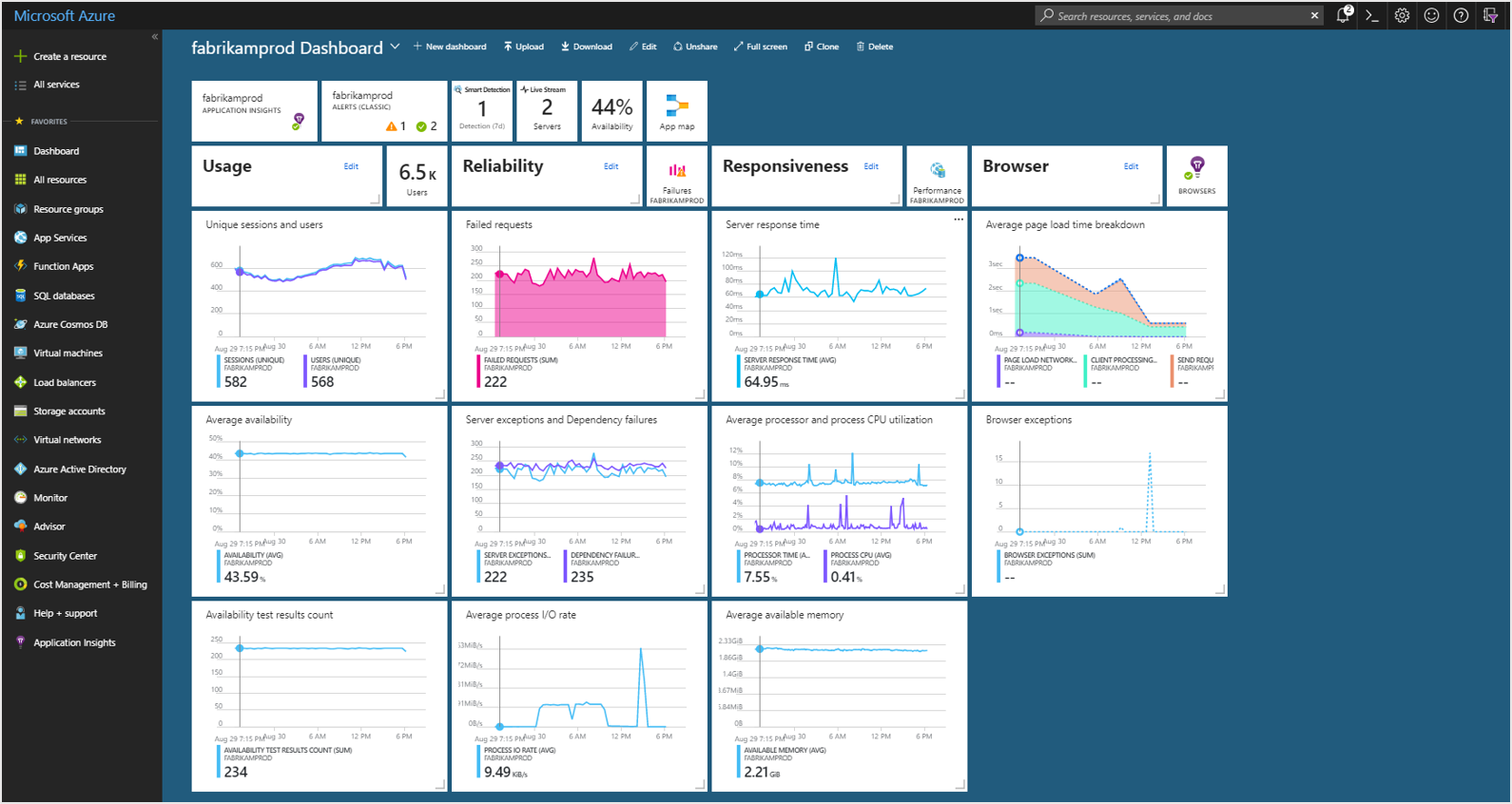
The image below shows a Dashboard set up to monitor an application’s resources.
AZURE BUDGETS FOR COST MANAGEMENT
Budgets within Cost Management help you plan for and drive organisational accountability. They help you proactively inform others about their spending in order to manage costs and monitor how spending progresses over time.
You can configure alerts based on your actual cost or forecasted cost to ensure that your spending is within your organisational spending limit. Notifications are triggered when the budget thresholds you’ve created are exceeded. None of your resources are affected, and your consumption isn’t stopped. You can use budgets to compare and track spending as you analyse costs.
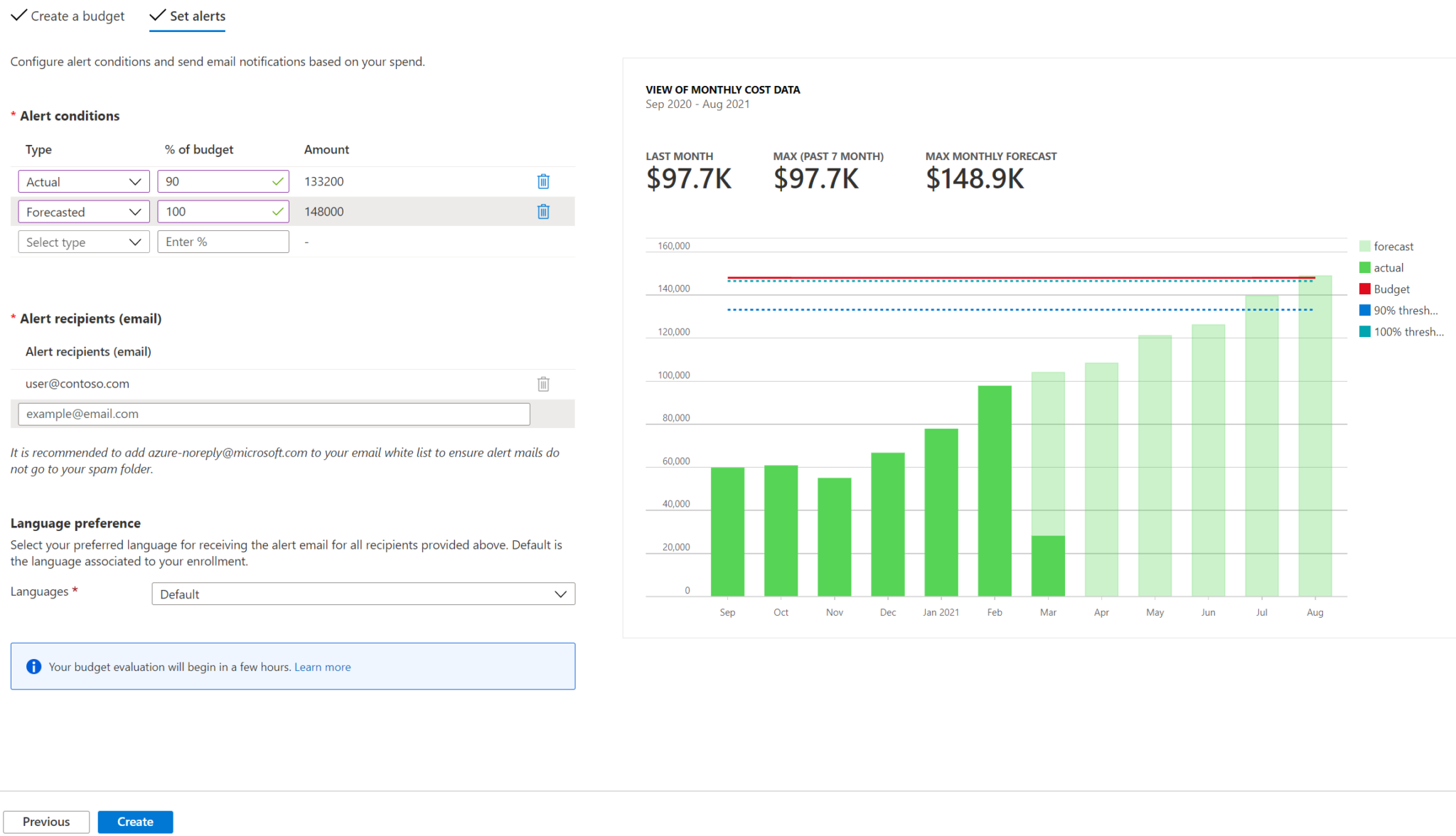
In the following example, an email alert gets generated when 90% of the budget is reached.
CONCLUSION
By setting up Azure Alerts, using Azure Application Insights with Azure Dashboards and creating budgets, you can monitor the health of your applications, gain insights into how they are performing and manage your costs. This can help you identify issues and take action to resolve them before they impact your users’ experience and your expenditure. If you are new to Azure, we recommend exploring these tools and learning more about how they can help you manage your cloud-based workloads.
